Among the IPTV applications available today, IBO Player stands out as one of the most versatile and reliable options. Available on virtually every platform and operating system, IBO Player delivers a clean user interface, smooth playback, and all the essential features that make it the preferred choice for KingVOD subscribers across the United States.
What is IBO Player?
IBO Player is a media player application designed specifically for IPTV streaming. It supports M3U playlists, Xtream Codes API, and features a built-in EPG (Electronic Program Guide). The app is developed by a German-based team and is available on the official website at iboplayer.com.
Supported Devices
IBO Player can be installed on the following devices:
- Amazon Firestick and Fire TV
- Android phones and tablets
- Samsung Smart TVs (Tizen OS)
- LG Smart TVs (webOS)
- Windows PCs and laptops
- macOS computers
- Apple iPhone and iPad (iOS)
Step 1: Subscribe to KingVOD
Before setting up IBO Player, you need an active KingVOD subscription. Visit our order page to choose a plan. After payment confirmation, you will receive your playlist credentials via email within minutes.
Step 2: Install IBO Player on Your Device
Amazon Firestick / Fire TV
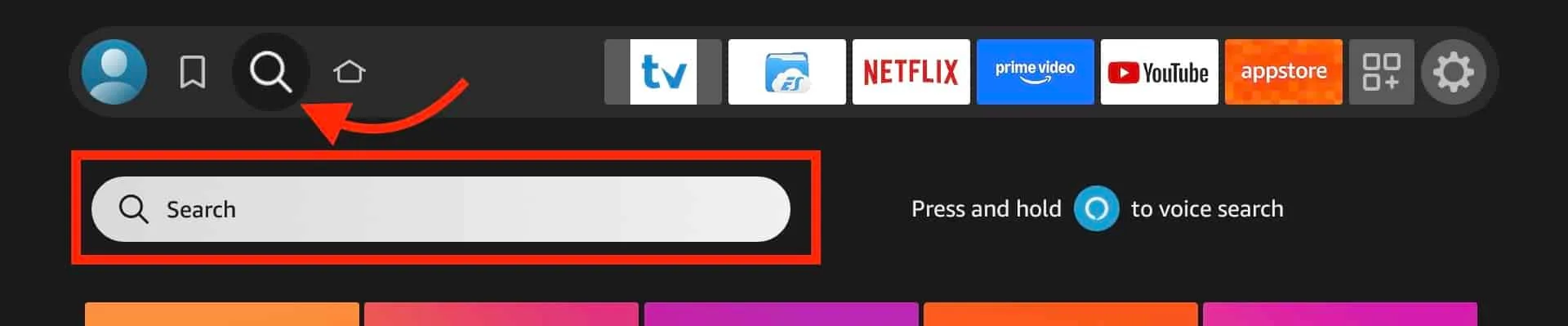
- From the Firestick home screen, go to the Search icon and type "IBO Player".
- Select the IBO Player app from the search results.
- Click "Download" or "Get" to install the application.
- Once installed, open IBO Player from the "Your Apps" section.
Android Phones and Tablets
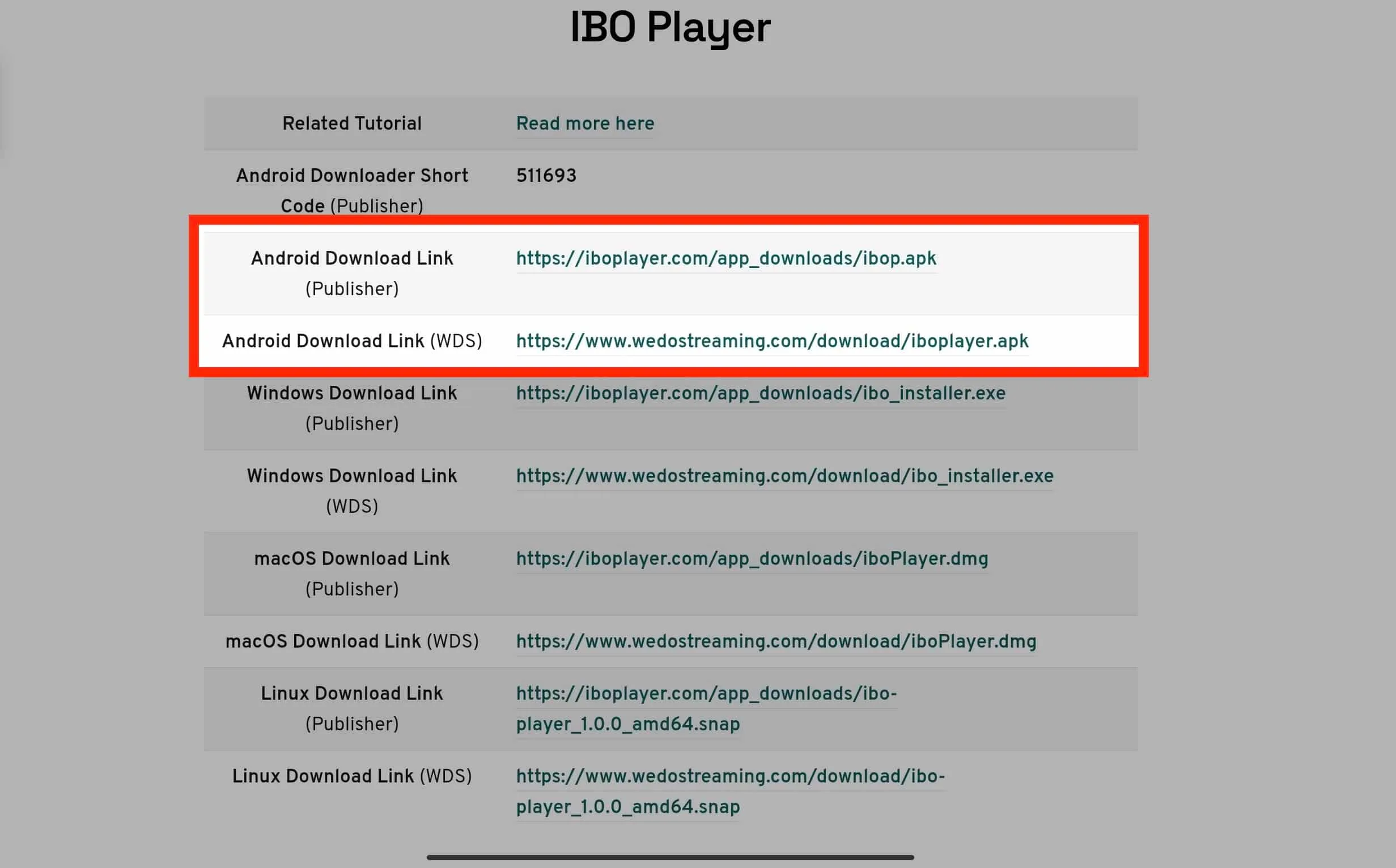
- Open the Google Play Store on your Android device.
- Search for "IBO Player" or "IBO Player Pro".
- Tap "Install" to download and install the app.
- Open the app once installation is complete.
Samsung Smart TV
- On your Samsung TV remote, press the Home button.
- Navigate to "Apps" and open the Samsung App Store.
- Search for "IBO Player" in the search bar.
- Select the app and click "Install".
- Launch IBO Player from your app list.
LG Smart TV
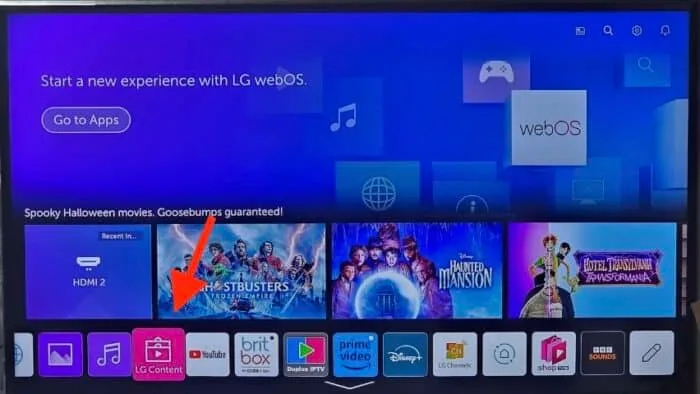
- Press the Home button on your LG remote.
- Open the LG Content Store.
- Search for "IBO Player".
- Install the application and launch it.
Windows PC
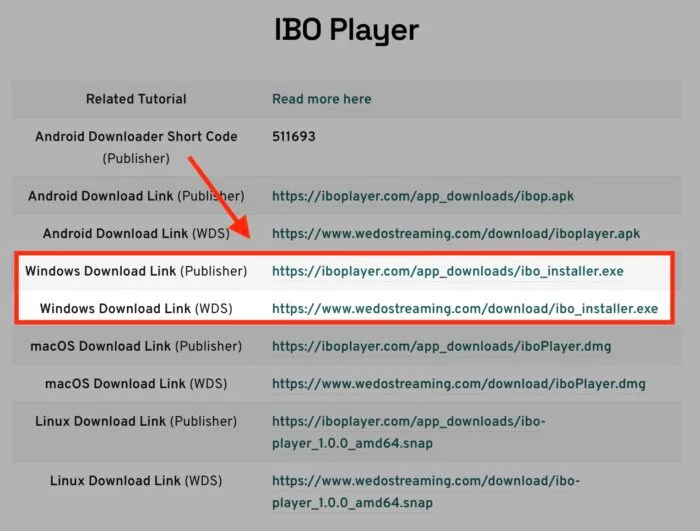
- Visit the official IBO Player website (iboplayer.com).
- Download the Windows installer.
- Run the installer and follow the on-screen instructions.
- Open IBO Player from your desktop or Start menu.
macOS
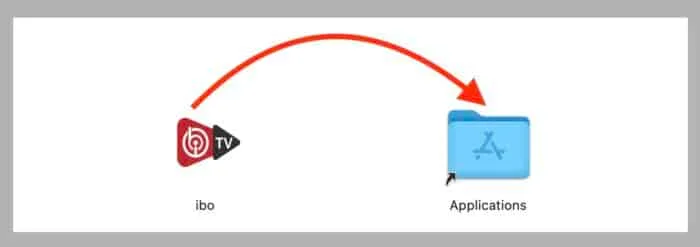
- Open the Mac App Store or visit iboplayer.com.
- Search for or download "IBO Player".
- Install the application and open it.
Step 3: Activate IBO Player
- When you first open IBO Player, you will see an activation screen displaying your device's MAC address.
- Note down this MAC address.
- Visit the IBO Player activation portal at iboplayer.com on a separate device (phone or computer).
- Create an account or log in, then add your device using the MAC address.
- IBO Player requires a one-time activation fee (separate from your KingVOD subscription).
Step 4: Add Your KingVOD Playlist
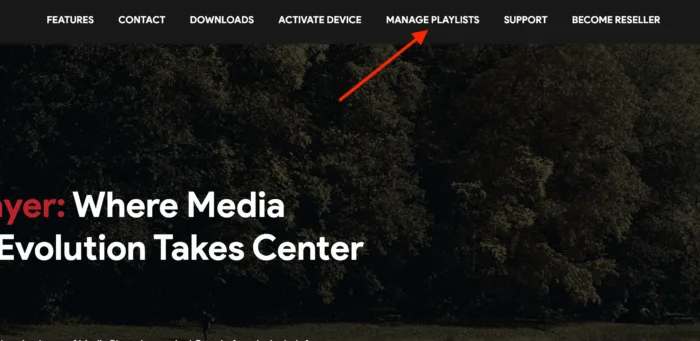
- In the IBO Player activation portal, navigate to the playlist management section.
- Click "Add Playlist" and enter your KingVOD credentials:
- Option A (M3U URL): Paste the M3U playlist URL provided by KingVOD in your activation email.
- Option B (Xtream Codes): Enter the server URL, username, and password provided by KingVOD.
- Save the playlist configuration.
- Return to IBO Player on your device and refresh or restart the app.
Step 5: Start Watching
Your KingVOD channels and VOD library will load automatically within IBO Player. You can now browse live TV channels, access the on-demand library, and use the EPG guide to plan your viewing.
IBO Player Key Features
- Multi-format support: M3U, Xtream Codes API, and portal URLs
- Built-in EPG: Full electronic program guide with schedule information
- Favorites: Bookmark your most-watched channels for quick access
- Catch-up TV: Rewatch programs from the past 7 days (where available)
- Parental controls: Lock specific channels with a PIN code
- Multiple playlists: Manage several IPTV subscriptions in one app
Troubleshooting
If you encounter any issues during setup:
- Channels not loading: Verify your playlist URL or Xtream Codes credentials are entered correctly. Check your internet connection.
- Buffering: Ensure you have a stable internet connection with at least 25 Mbps download speed for HD content and 50 Mbps for 4K.
- App not found: Some regions may restrict app availability. Contact KingVOD support for alternative installation methods.
- Activation issues: Make sure the MAC address entered matches exactly what is displayed in IBO Player.
For additional help, contact our 24/7 support team via WhatsApp at +1 (939) 800-3993 or email [email protected].